
UBF HQ security alert · November 26, 2026
Don’t open the “red envelope” invitation email
Several UBF members’ email accounts have been hacked. The hackers are sending a fake invitation to everyone in their contacts, so it arrives from the real address of someone you know.
Got this email? Don’t click the envelope or any link.
Just delete it, or report it in Gmail: open the email → ⋮ → Report phishing.
1How to recognize it
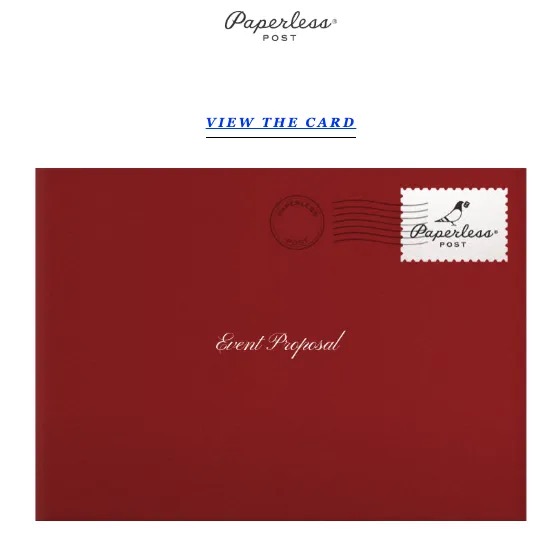
- Almost no text. Just a picture of a red envelope. It may show “Paperless Post” or “Event Proposal”.
- The subject line (it may change): You’re Specially Invited! Join Us for a Memorable Celebration
- Links such as “VIEW THE CARD” or “Visitor View & Guest Directory”.
- It comes from someone you know. Their account was hacked, so the address is real.
- What it does: it asks for your email password, or installs a remote-control program on your computer.
2If you haven’t clicked it
You are safe. Delete the email, or report it in Gmail: open the email → ⋮ → Report phishing. Please let the sender know by phone or text that their account was hacked.
3If you already clicked it
Act right away, using your phone or a computer you did not click on.
- Change your email password and turn on 2-Step Verification.Type
myaccount.google.cominto your browser yourself. Don’t use a link from an email or text. - Sign out devices you don’t recognize.At
myaccount.google.com/security-checkup, remove unknown devices and make sure the recovery phone and email are yours. - Check your Gmail settings.In Gmail → Settings → See all settings, remove any forwarding address, filter, or “Grant access” entry you didn’t create, and disable POP if you don’t use it.
- If you downloaded or installed anything,disconnect that computer from the internet, uninstall any program you don’t recognize (especially remote-access tools like ScreenConnect, AnyDesk or TeamViewer), and run a virus scan. Don’t use it for banking until it’s clean.
- Change other passwords.Change the password on any other account that used the same password, starting with your bank.
- Warn your contacts.Send a short note so they don’t open the email sent from your account.
If Google has disabled your account, sign in at accounts.google.com (type it yourself) and follow the on-screen steps to verify your phone or start an appeal.
4Stay safe going forward
Enter your password only on your email provider’s sign-in page.For Gmail, that is
accounts.google.com. Real invitation services never ask for your email password.Confirm unexpected invitations first.Even if it comes from someone you know, call or text the sender before you click a card, invitation or file.
Never share a verification code.Google will never call you to ask for one.
Ignore account “recovery” offers.Anyone who offers to recover your account for a fee is a scammer.
5Need help changing your password?
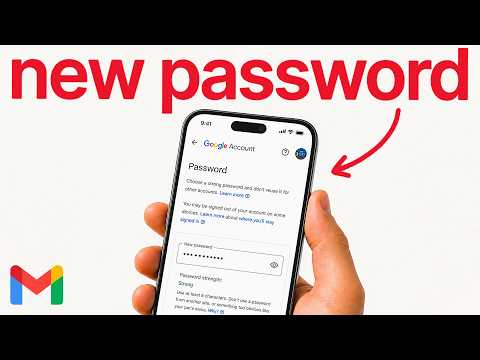
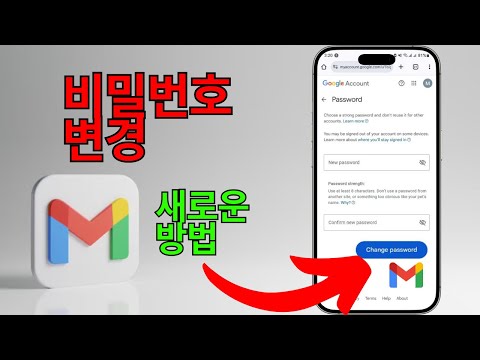
Please share this page with your chapter members.
ubf.org/phishing-alert