
AI & UBF Campus Mission
·
AI & UBF Campus Mission
UBF Headquarters · Official Online Class
AI for Ministry
Less admin. More students.
Campus Mission in the AI Era — a 7-week intensive for chapter directors and campus ministers.
“Let AI handle the repetitive work — shepherds belong with sheep. And step onto the new campus called social media.”
- Starts September 30, 2026
- 7 weeks · Wed. 7PM CT, 8PM ET, 5PM PT
- 50 min lecture · 10 min break · 50 min practice
- Live on Zoom · recorded
- Beginners welcome
Understanding AI is now a basic skill
The reason you need AI isn’t a grand theory of the times. It lives in your daily ministry routine — weekly bulletins, announcements, study prep, and never enough time with students.

The world
Companies are retraining entire workforces to work with AI — from executives down to every desk.

The campus
Today’s students are the first generation living and learning with AI as a normal part of the day.
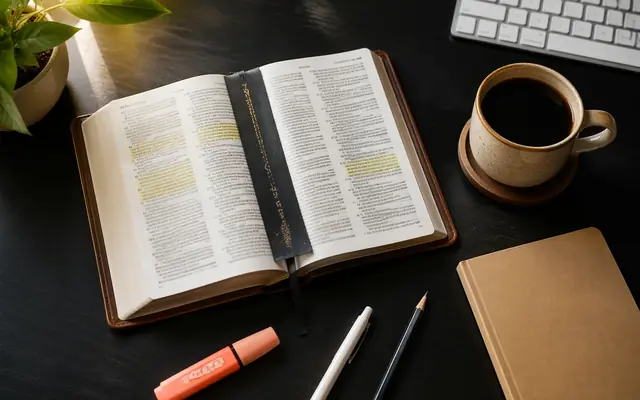
Your ministry
Rightly understood, AI helps with administration, Bible study preparation, and outreach.
From the desk you’re stuck at, to the table you long for
This course exists to move your week from the first picture to the third.

The hours that disappear
Bulletins, announcements, reports, study materials — the work that quietly eats the week you meant to spend with students.

Where students live now
The people you are trying to reach spend their days on Instagram and TikTok. The campus has a second address — and most chapters have no presence there.

What it is all for
Hours returned, and a channel that keeps bringing new students to the one table that matters — an open Bible, one to one.
You learn the tools in week one — and finish with a working path from a scrolling student to a seat at that table.
What this course aims for
Four outcomes, all built on one conviction: AI is a tool, people are the protagonists, Christ is Lord.

Understand AI deeply
The principles and limits of generative AI, plus theological discernment — the AI literacy every minister needs.

Reclaim your time
Let AI handle repetitive admin and documents, and reinvest those hours in shepherding and prayer.

Expand ministry creatively
Bible study materials, curriculum, and media content you never had the bandwidth to attempt alone.

Apply social media mission
Build an Instagram-based outreach flow and actually begin meeting new students on campus.
This course is for you if…
No tech or SNS background needed. We start from the beginning, together.

You don’t know where to start
You want to use AI in ministry, but every tool looks like a different door.

Admin eats your week
Material-making takes the hours you would rather spend with students.

Your account sits idle
You started a chapter Instagram but aren’t sure what — or how — to post.

You want wider channels
You are looking for new ways to meet students on campus this semester.
What you’ll have in hand when it’s over
Every week ends with something real in your hands — not notes about someday.

Your week back
The bulletin, announcements and word cards that eat 3–4 hours — done in well under an hour.

One message, many pieces
What you already prepared becomes word cards, a short clip and study questions the same day.

A chapter Instagram that runs
Set up, branded and posting real outreach content by week six — not an empty profile.

An invitation page
Your own link where a student can sign up for Bible study — live and working.
Once you’re fluent, your week changes
You won’t start at this speed — you reach it gradually through weekly practice. The point is not saving minutes; it is returning those hours to your students.
Three tracks in seven weeks
The course climbs from foundations to a working outreach channel — each track building on the one before it.

AI Foundations & Administration
- How generative AI works, and where it fails
- Prompt writing and theological discernment
- Bulletins, reports and slides with AI

AI Bible Study
- Message and study preparation with AI
- Inductive Bible Study (IBS) method
- IBSTH (ibsth.org) introduced and used

Media & Social Media Mission
- Design and short-form video tracks
- Instagram strategy and DM evangelism
- Your invitation page and chapter roadmap
Social media is a mission field
Not a replacement for what you already do — a second field, where the students you never cross paths with are already living.

An open Bible and a real conversation are still at the heart of campus mission. But traditional in-person outreach has its limits—it mainly reaches the students we happen to meet face to face.

The same Word, reaching students beyond our physical campus encounters — connecting with them where they already spend their time, often before we ever meet them in person.
Keep doing what already works — and add the field you cannot walk to. With AI tools, anyone can create appealing outreach content: from “a special gift” to “a system you can learn and run.”
From first discovery to 1:1 Bible study
Six steps a student travels to reach your chapter. You design and run the whole path — and you finish the course with it working.

Discovery
Finds your chapter through reels and hashtags

Follow
Your profile earns trust in thirty seconds

Engage
Comments, saves and story replies begin

DM chat
A 1:1 that starts as relationship, not transaction

Meet
Coffee and a real campus connection

Worship
First visit and 1:1 Bible study registration
Success is measured not by “likes” but by the 3Rs — Reach · Resonance · Response
The 7-week journey
Every week: 30–40 minutes of teaching, 50–70 minutes of hands-on practice, 10 minutes of sharing.
The AI Era & Campus Mission
Wed, Sep 30Generative AI and where it is going · discernment and ethics · prompt-writing fundamentals
AI accounts + your ministry prompt kitChurch Administration with AI
Wed, Oct 7Announcements, bulletins, meeting notes and reports · NotebookLM · Gamma · translation
3 admin templates + 1 presentationAI Bible Study
Wed, Oct 14Study materials and message prep · Inductive Bible Study with AI · IBSTH · verifying citations
1 message draft + 1 Bible study lessonChurch Media I — Image & Design
Wed, Oct 21Canva deep-dive · generative AI images · word cards, invite cards and posters with MinistryGram
Design template set + 7 cardsChurch Media II — Video & Shorts
Wed, Oct 28CapCut and Vrew editing · the 30-second outreach reel formula · sermon clipping · AI captions
3 reels + 2 sermon shortsSocial Media Mission — Instagram & DM
Wed, Nov 4Algorithm and hashtag strategy · the 80/20 rule · DM evangelism as relationship, not transaction
Chapter IG profile + DM playbookOutreach Page + Your Roadmap
Wed, Nov 11Your chapter invitation page with the StartBibleStudy model · roadmap building · final sharing
Invitation page + 1–3 year roadmapOptional: chapters that want to go further can continue with the self-paced 90-Day Outreach Challenge after the course, with ongoing coaching.
Tools & solutions we use
Everything is chosen so a one-person chapter office can run it — nothing here needs a media team.

AI Engines
- ChatGPT · Claude · Gemini
- Writing, research support, translation, summarizing, ideas

Ministry & Bible Tools
- IBSTH · ibsth.org
- Inductive Bible Study AI web service — study, reflections, materials
- StartBibleStudy · startbiblestudy.org
- Online Bible study invitation pages, one per chapter

Media & Design
- MinistryGram · Canva
- Instagram word-cards, bulletins, posters and card content
- CapCut · Vrew · OpusClip
- Short-form editing, sermon clipping, AI captions

Administration
- NotebookLM · Gamma
- Organizing and summarizing materials, auto-generated presentations
IBSTH, MinistryGram and StartBibleStudy are developed by LC Lab, founded by the instructor. They are provided free to every participant during the course and are not required to complete it.
All you need is commitment

Schedule
Starts September 30, 2026 · 7 weeks · Wed. 7PM CT, 8PM ET, 5PM PT, once a week · 50 min lecture + 10 min break + 50 min practice · live on Zoom with recordings

Tuition
$100 for the full 7 weeks · plus your own AI subscription

Materials
Laptop (PC/Mac), smartphone, internet — no SNS experience needed

Evaluation
No exams — a final sharing of real ministry outputs in Week 7
What it costs
- Tuition $100 for the full 7 weeks — about $7 per hour of live training.
- Your own AI subscription, such as ChatGPT, Gemini, etc. (about $20 a month).
- Some Online Outreach AI tools used in the course will be supported by UBF Headquarters during the 7-week class period.
For UBF North America chapter directors and campus ministers — beginners welcome.
Take one week back, starting this September
Seats are open to UBF North America chapter directors and campus ministers. No tech background needed.
Send the $100 tuition
Pay with PayPalor send $100 by Zelle to
UBFEducation26
Put your name and “AI class” in the note so we can match your payment.
Your seat is held once both steps are done. We confirm by email within a few days.
“The harvest is plentiful but the workers are few.”
MATTHEW 9:37
In the AI era, the campus harvest field has widened into the digital square. Seven weeks from now, your chapter will be standing in it.
An official online class of UBF Headquarters · North America
Instructor: Dr. Joseph Cho — IT Coordinator, UBF Headquarters · Adjunct Professor, Grace Mission University · Ph.D. in Data Science · 21 years at SK Group (IT Engineer) · Founder of LC Lab (IBSTH · MinistryGram · StartBibleStudy)
Questions? joseph.whcho@gmail.com