
UBF HQ Online Mission Team

Give your campus a front door students can find.

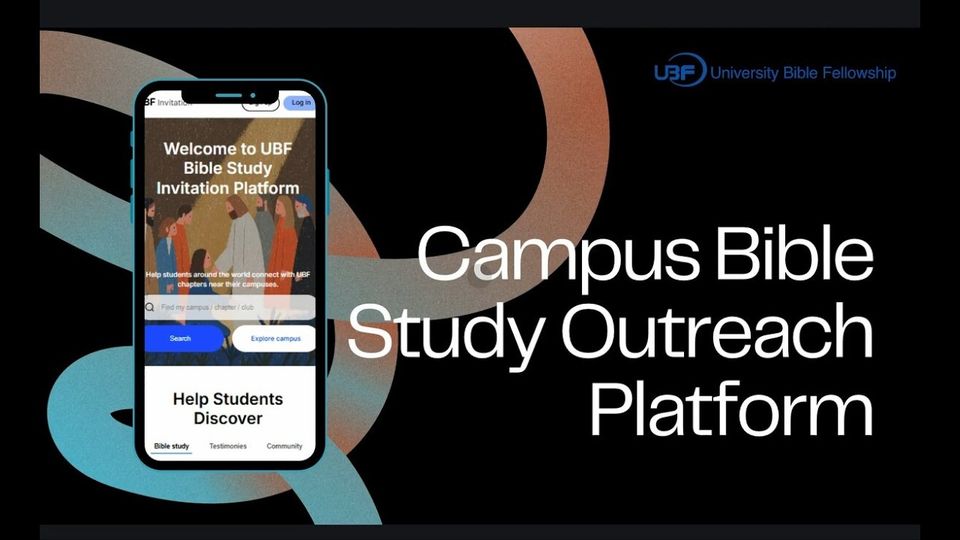
StartBibleStudy.org lets any UBF chapter build a Bible study invitation page, print QR flyers, take sign-ups around the clock, and connect each student with a Bible teacher. No designer and no code.

Watch the 7-min walkthrough
Free for UBF chapters, with no paid tierEvery request is reviewed by the UBF HQ IT Team
Why online

Many students say no to a flyer. Few say no to their phone.

Approach a student on campus and they often decline politely. That rarely means they aren’t interested. Many want to look around privately first, at their own pace, before they talk to anyone. A QR code and a good page give them that room.

Private exploration first. Personal connection next.

A student turning down a flyer on campus
Face to faceA direct approach on campus is easy to turn down.
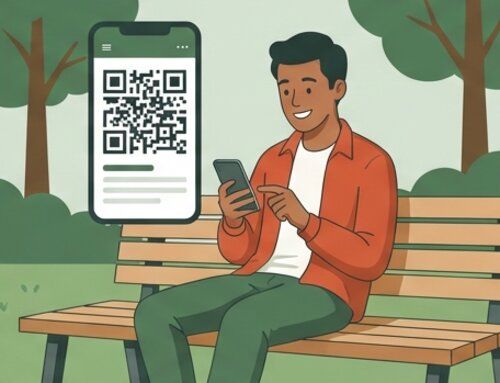
A student scanning a QR code on a park bench
On their phoneA QR code lets them explore when they are ready.
Two pathways, one destination

Start with a handshake or a DM. Both lead to Bible study.

Your chapter can reach students on campus, online, or both. Every invitation points to the same campus page and the same short sign-up form.

Track A · Hybrid

On campus, bridged by digital

  1. Hand out a QR flyer or card
  2. Student scans later
Track B · Online

Fully online through Instagram

  1. Send a personal DM
  2. Student taps your link
Watch the 8-min Instagram tutorial
  1. Your campus pagePhotos, testimony videos, the Gospel and your gatherings, in English or Korean.
  2. A one-minute sign-upStudents choose how they’d like to start. No account needed.
  3. A Bible teacher reaches outThe teacher is notified right away by email and follows up personally.
What’s inside StartBibleStudy.org

Everything a chapter needs to invite, follow up, and match

Every chapter needs its own outreach site, but few have someone who can build one. So we built the tool for you.

A page that looks like your campus

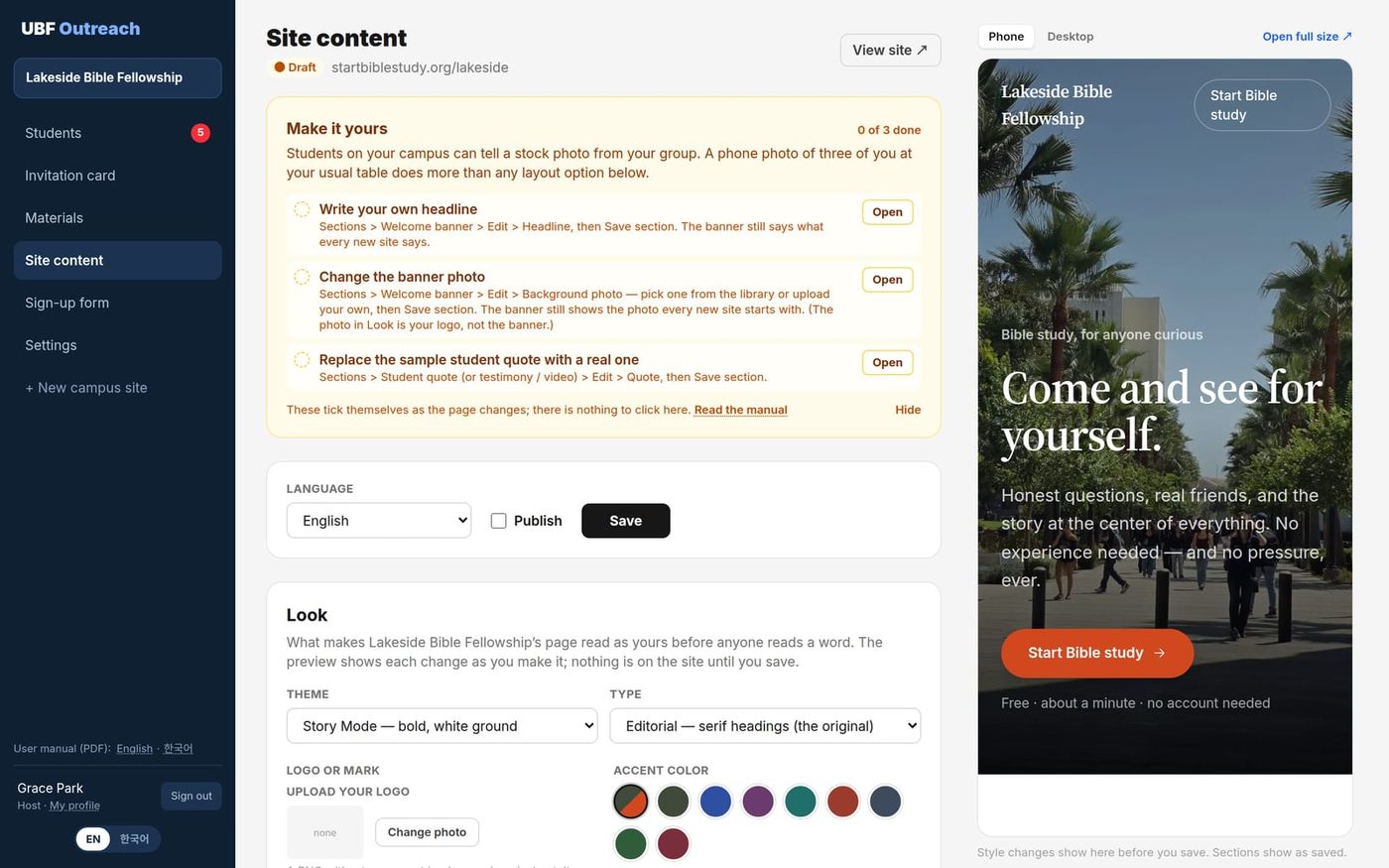
Start from one of four designs, then set the type style, your logo, an accent color and the photo tone. A live preview shows every change on a phone or desktop before you save.

  • Story
  • Quiet Invitation
  • Community & Events
  • Simple
The Site content editor with the Look card and a live phone preview

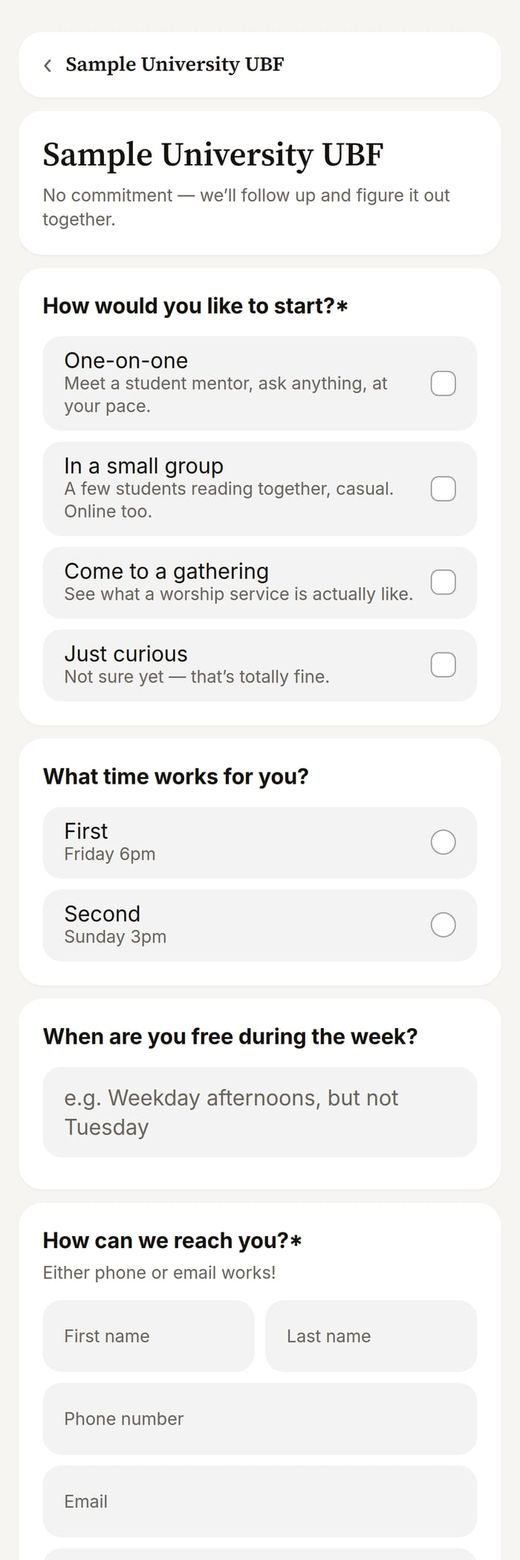
A sign-up form that fits your chapter

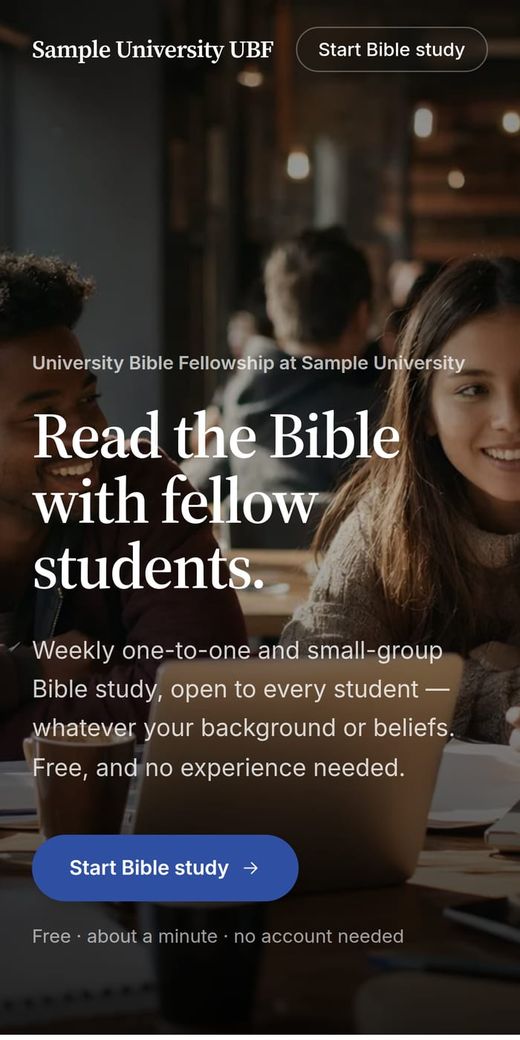
List your real small groups, add up to 10 questions of your own (pick one, pick any, or a short answer), and write the confirmation email students receive.

The student sign-up form on a phone

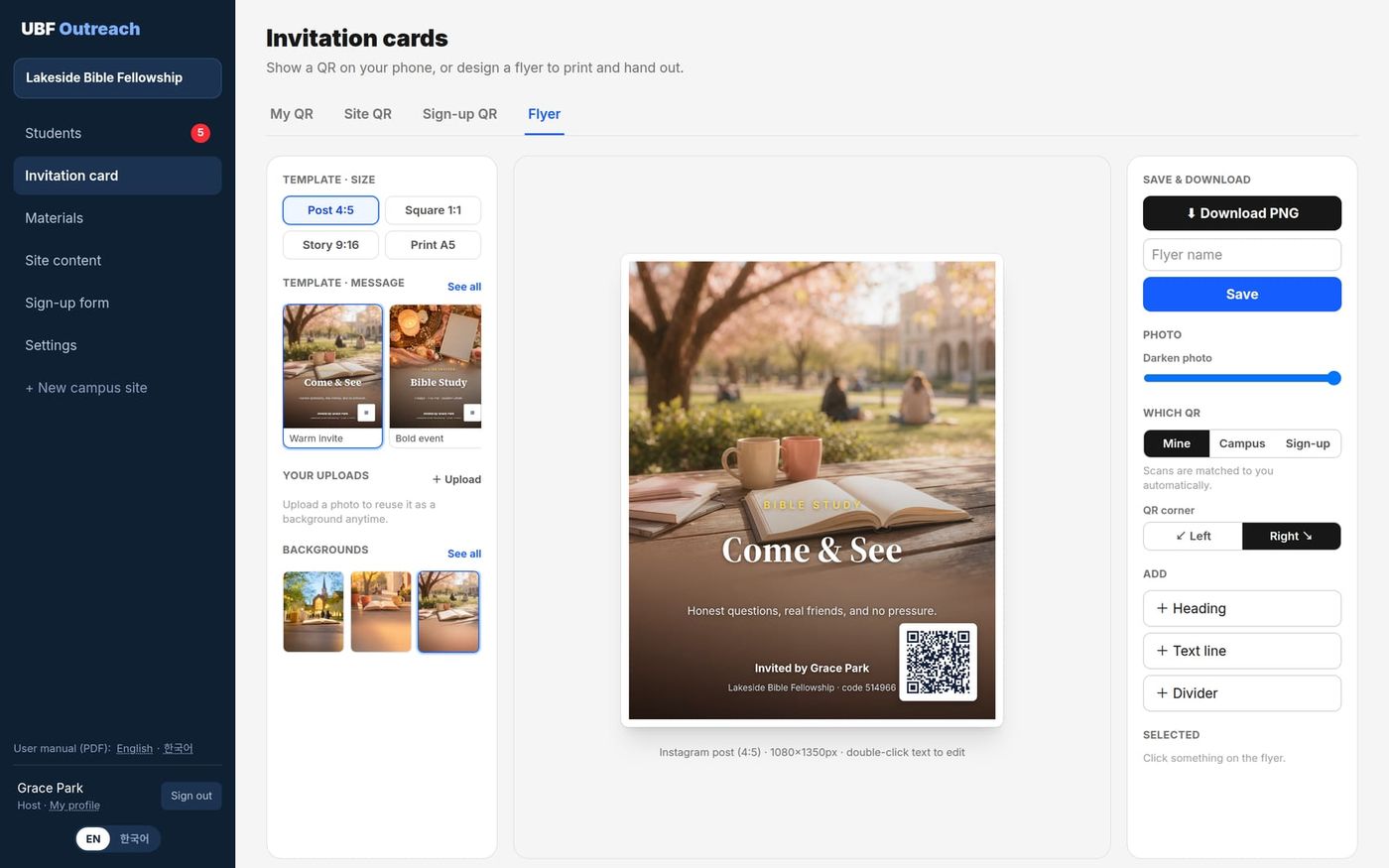
QR codes and flyers for every teacher

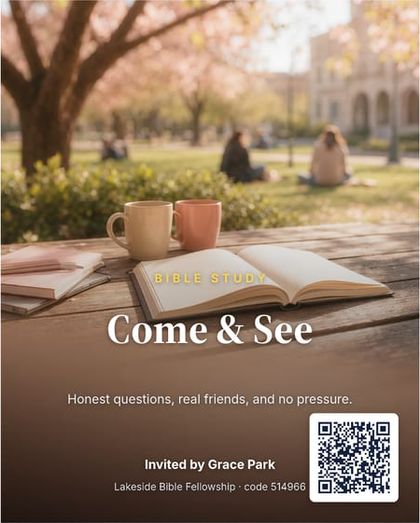
Each Bible teacher gets a personal QR code. Students who scan it are matched to that teacher automatically. Design Instagram posts, stories and A5 print flyers on real campus photos, right in the console.

The flyer designer with an Instagram-size invitation

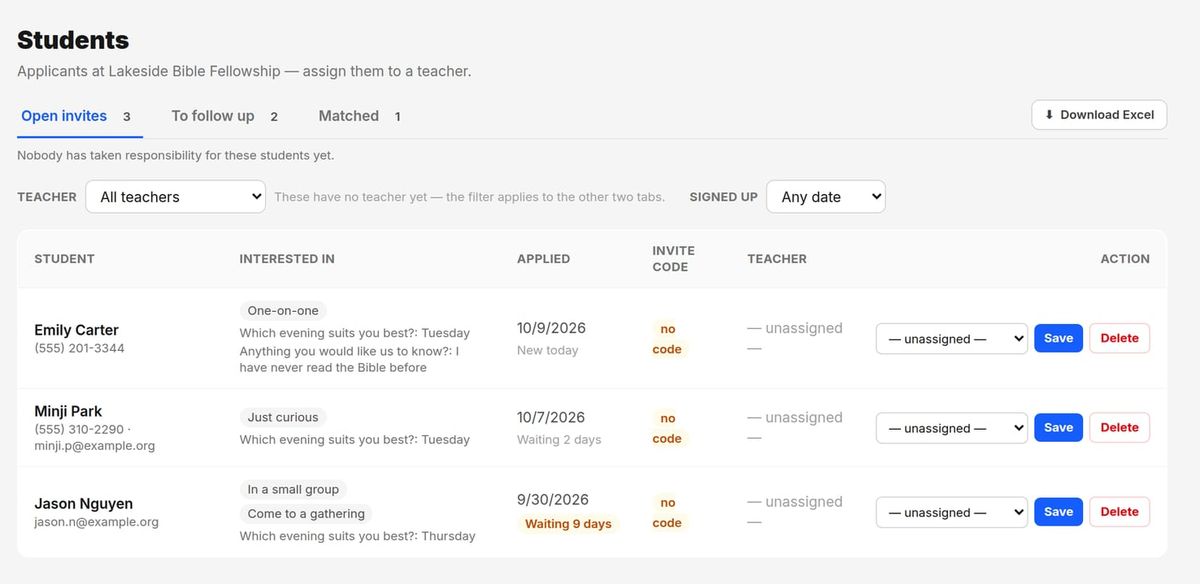
No student slips through

Every sign-up moves through Open invites → To follow up → Matched. Students nobody has reached show “Waiting n days”, and admins can download the list to Excel.

The Students page with open invites waiting for a teacher

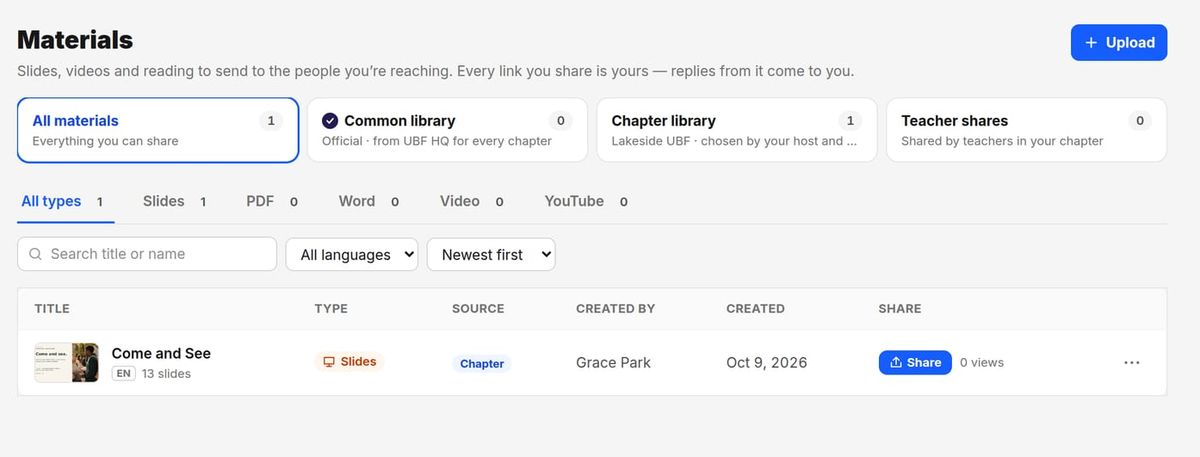
Materials to send, with your own link

Share slides, PDFs, videos and YouTube links. Each teacher’s link is personal: views are counted, and a student who writes back lands in that teacher’s To follow up.

  • Common library
  • Chapter library
  • Teacher shares
The Materials page with common, chapter and teacher shelves
  • Ready-made contentDrop in editable Gospel, testimony, invitation and seasonal sections.
  • Real photosSearch free photographs, or upload your own. They are resized automatically.
  • English or 한국어Each site has its own language, and each person picks the console language.
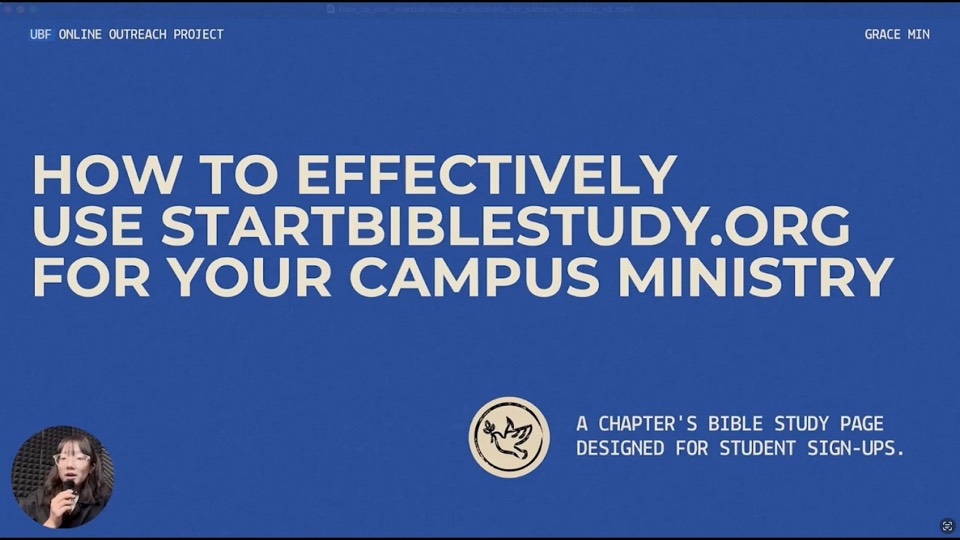
Grace’s walkthrough · 7 minHow to Effectively Use StartBibleStudy.org for Your Campus MinistrySee a chapter’s Bible study page built for student sign-ups, and how to put each part of it to work on your campus.
How to get started

From registration to your first sign-up

One leader registers the chapter. After approval, your team can build the site and start inviting the same week.

  1. Register your chapter

    Pick your chapter and write a short note about who you are and how you’ll use the site.

    You
  2. HQ reviews it

    A person on the UBF HQ IT Team reads each request, usually within a few days. Your director gets an FYI email.

    UBF HQ
  3. Build your campus site

    Choose a starting design, make it look like your campus in the live preview, and invite teachers.

    Your team
  4. Publish and share

    Go live, then share your link, QR codes, flyers and materials on campus and on Instagram.

    Your team
  5. Students respond

    A student signs up or writes back. The teacher is notified and reaches out.

    Teachers
Where it started

Built from years of trying things on real campuses

When the pandemic closed campuses, our team saw an opening. We began meeting students where they already spend their time: on their phones, on social media, and on Google.

  1. biblestudyfree.org

    Bible study introductions and testimony videos, paired with Google and Facebook ads for students searching “bible study” near our Chicago, Berkeley and LA chapters. Real students clicked through and signed up.

  2. lbcctruevine.org

    A site for the LBCC Bible Study Club, optimized for Google and linked from the school’s official club page. Students found it on their own and applied right there.

  3. Instagram and Facebook DMs

    Personal messages to campus students. A website gives credibility. A personal message gives warmth.

  4. StartBibleStudy.org

    Everything we learned, turned into a tool any UBF chapter can use.

Watch: the UBF Online Mission Team

“Websites plus social media DMs became our formula. Build a place students can find, then reach out to them directly.”

UBF HQ Online Mission Team
You won’t do this alone

Two people to walk alongside your chapter

Most chapters don’t know where to start online. Grace and Jorge bring hands-on marketing experience and a heart for campus ministry, from setting up your Instagram to coaching you on DM outreach.

Grace M.Social Media & Marketing Specialist

Graphic designer with a background in social media marketing coordination.

Jorge L.LA UBF Campus Outreach & Social Media Lead

M.S. in Aerospace Engineering from CSULB. Manages social media for LA UBF’s campus ministry.

  • Mentoring

    Grace and Jorge work directly with your digital ministry lead on the platforms, a posting rhythm, and starting real conversations online.

  • Content library

    Ready-made images, videos and Bible study materials you can post without starting from scratch.

  • Your campus site

    We help you set up and customize your site on StartBibleStudy.org, and create a chapter Instagram account if you need one.

  • AI tools Coming soon

    AI tools for content creation and outreach, coming to StartBibleStudy.org.

What your chapter brings

  • A chapter Instagram account, or willingness to create one
  • A commitment to online outreach this semester
  • One dedicated digital ministry lead
Jorge’s tutorial · 8 minInstagram Outreach for Campus Bible StudyA practical strategy for reaching students where they are, from the intern who coaches chapters on DM outreach. A good place to start before your first message.
Get started

Students respond. They sign up. They show up.

We’ve seen what happens when a website, a social media presence and a personal message come together. Let’s help your chapter see it too.

Questions? Email ubfonlinemission@gmail.com with your chapter name.